
One platform, end to end
RiskEx covers the whole EHS cycle — structure, identify, evaluate, treat, verify, monitor and communicate — on a single risk inventory shared by every module. Below, each module with real product screens.
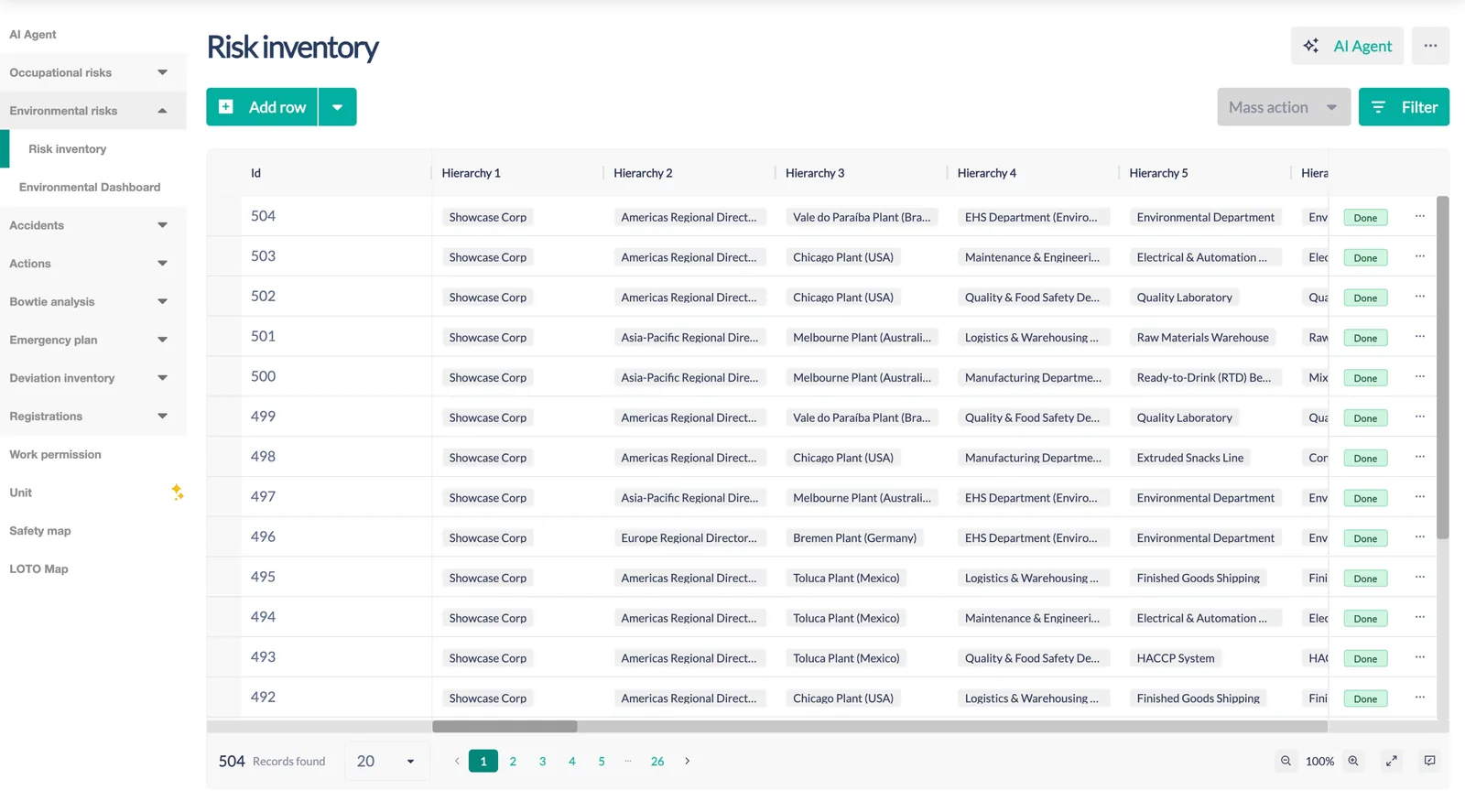
A living risk inventory for every unit, process and task
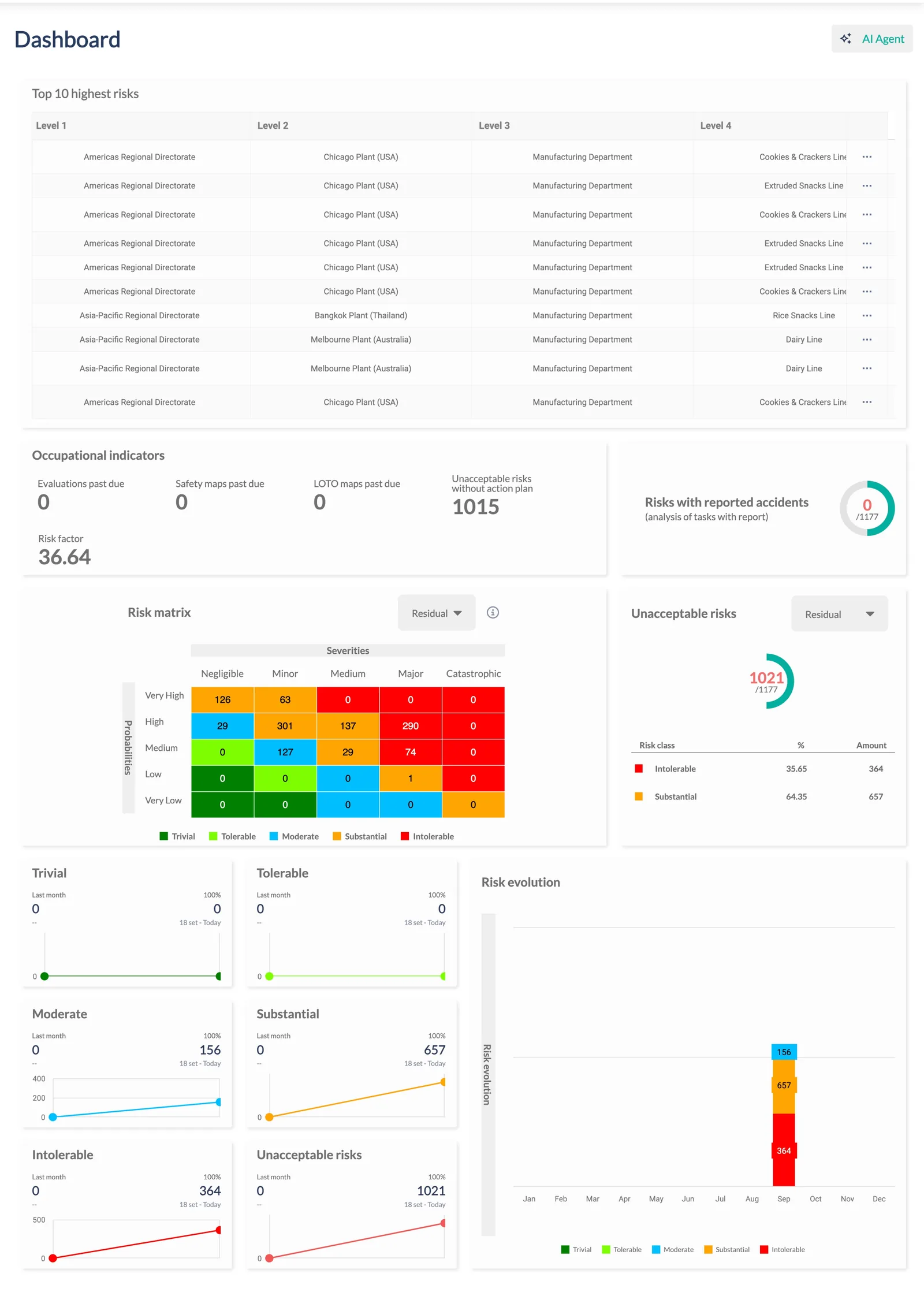
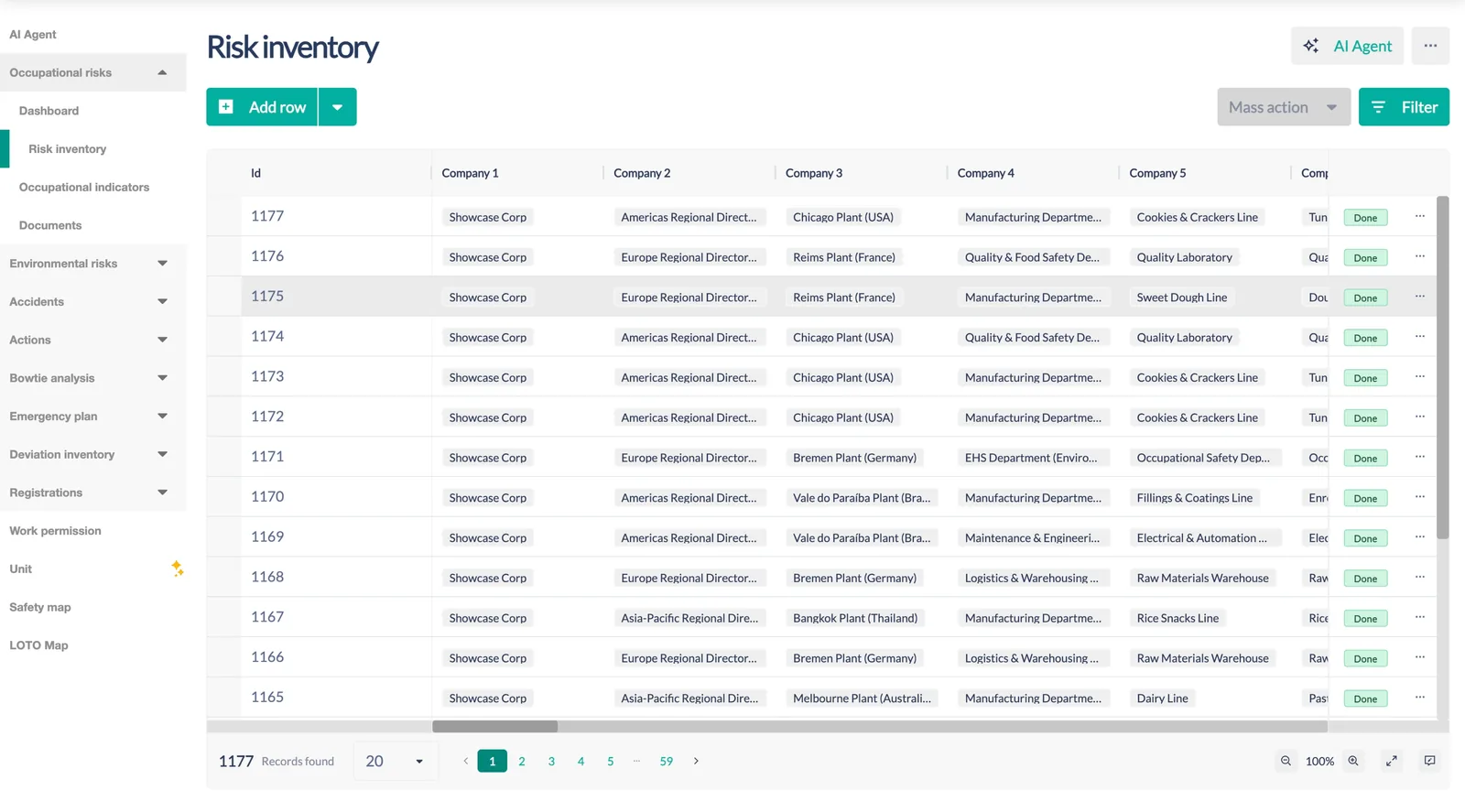
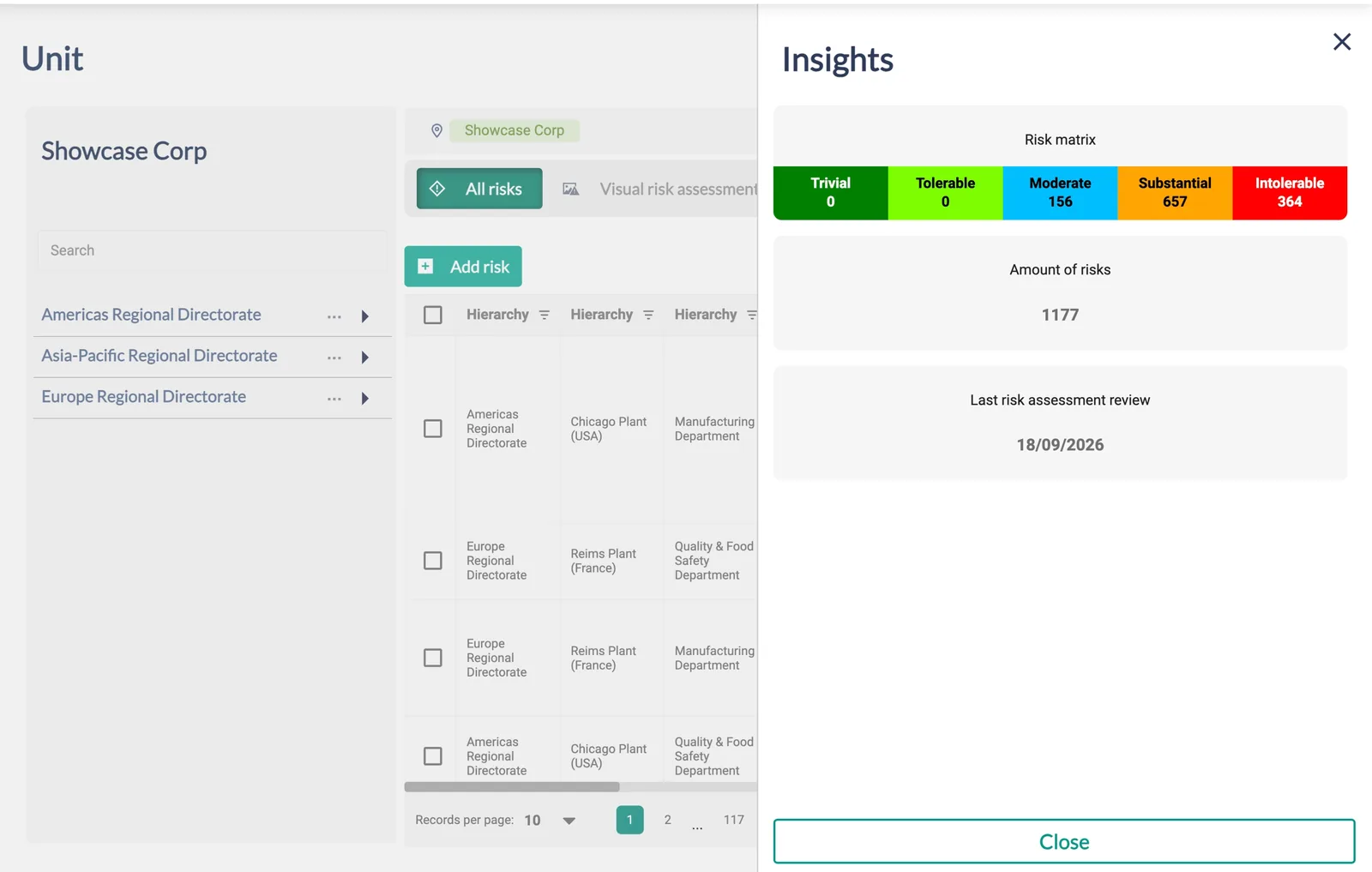
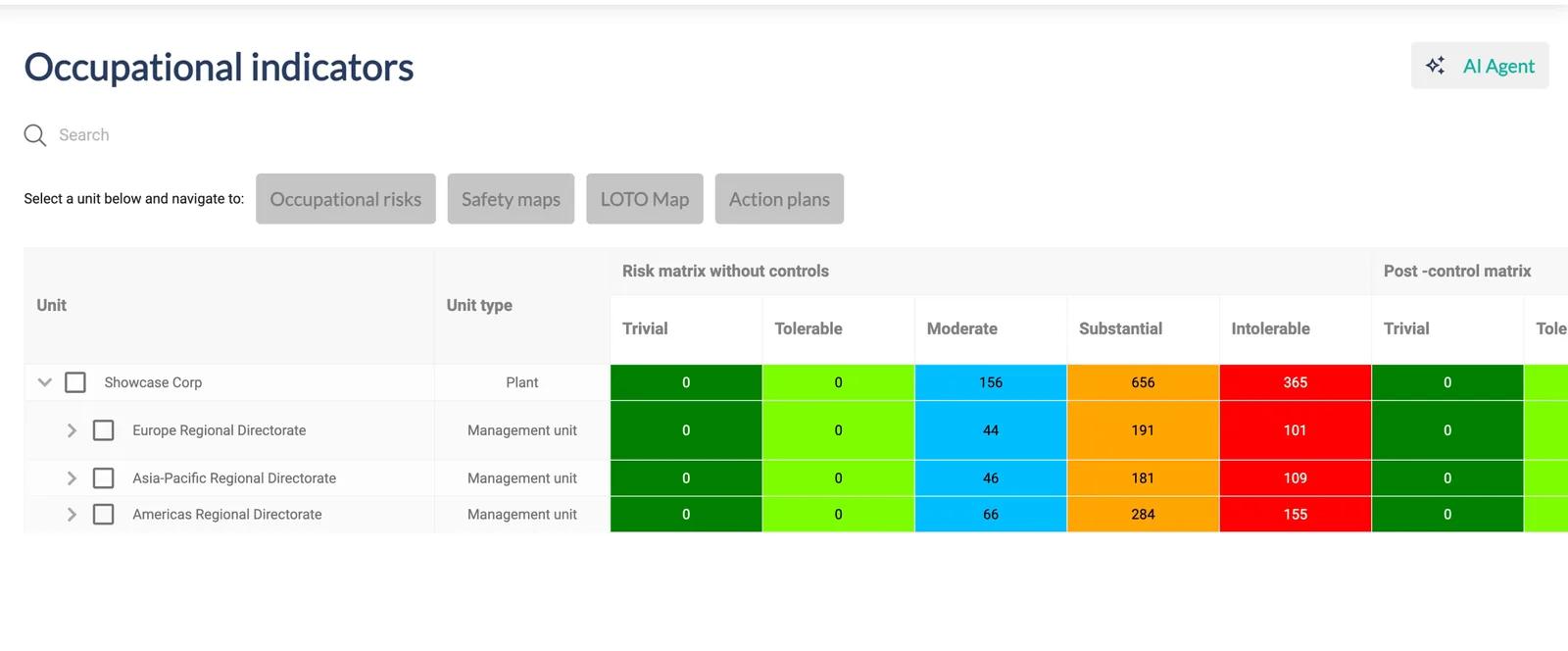
The core of RiskEx. Each risk carries its hazard, characterizations, variables, rating before and after controls, control quality, evidence and approval history — all configurable per site.
- Draft → approval workflow with justification and evidence on every change
- Probability × severity matrix or formula-based scoring — your method, your scale
- Control hierarchy with quality (effective, independent, auditable) and residual rating
- Hazard identification from a photo with AI, mass actions, import/export, cloning between units
- Dashboard: top risks, matrix, unacceptable risks without action plan, risk evolution, risk factor per unit
Aspects and impacts, with the same engine and its own scale
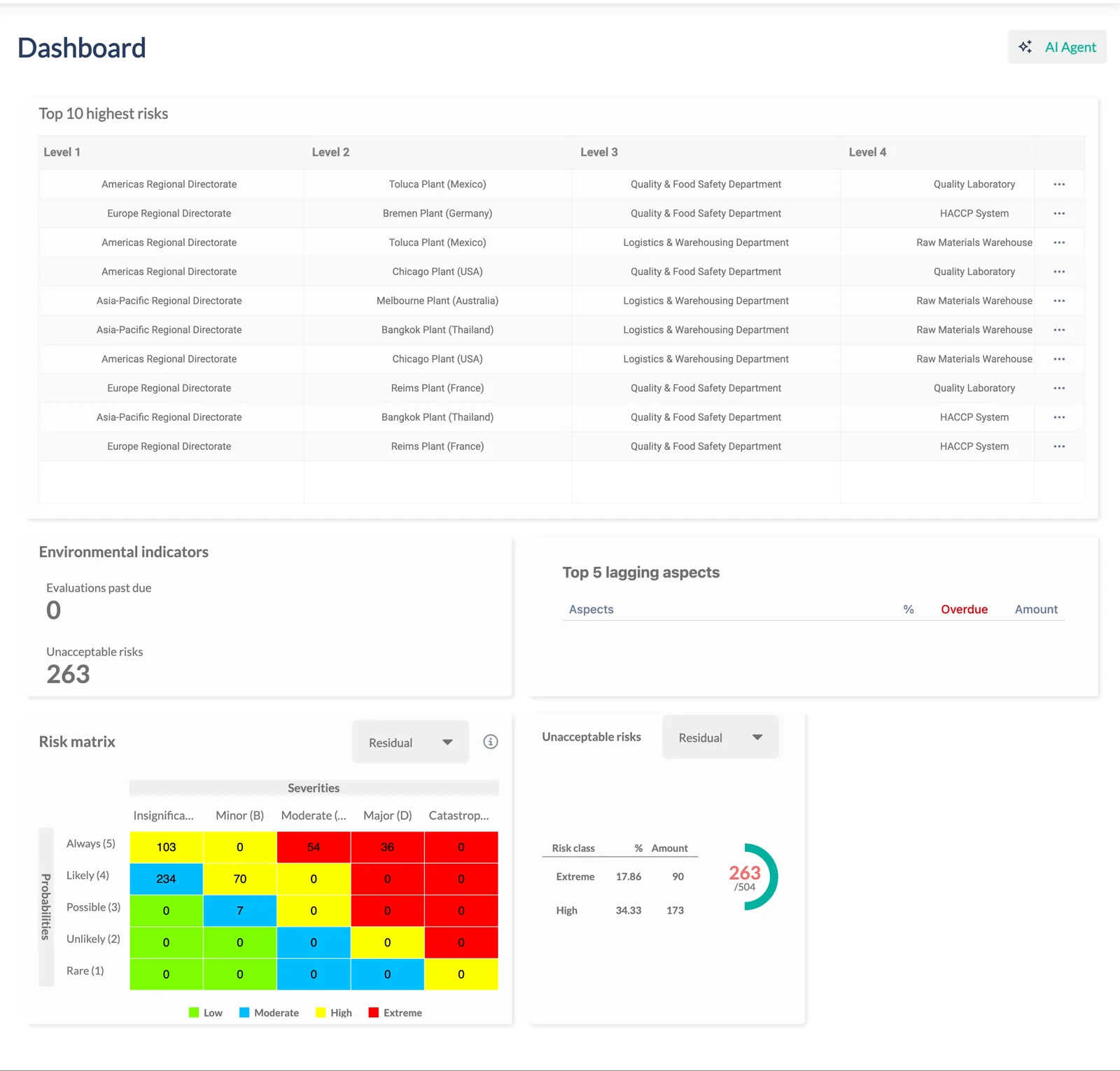
Environmental assessment reuses the risk engine — hierarchy, variables, controls, evidence, audit and dashboard — with its own matrix, classes and lagging-aspect indicators.
- Aspect × impact inventory per unit, before and after controls
- Independent matrix and classes (e.g. Low / Moderate / High / Extreme)
- Top lagging aspects, evaluations past due and unacceptable risks at a glance
Barrier management for the risks that can hurt the most
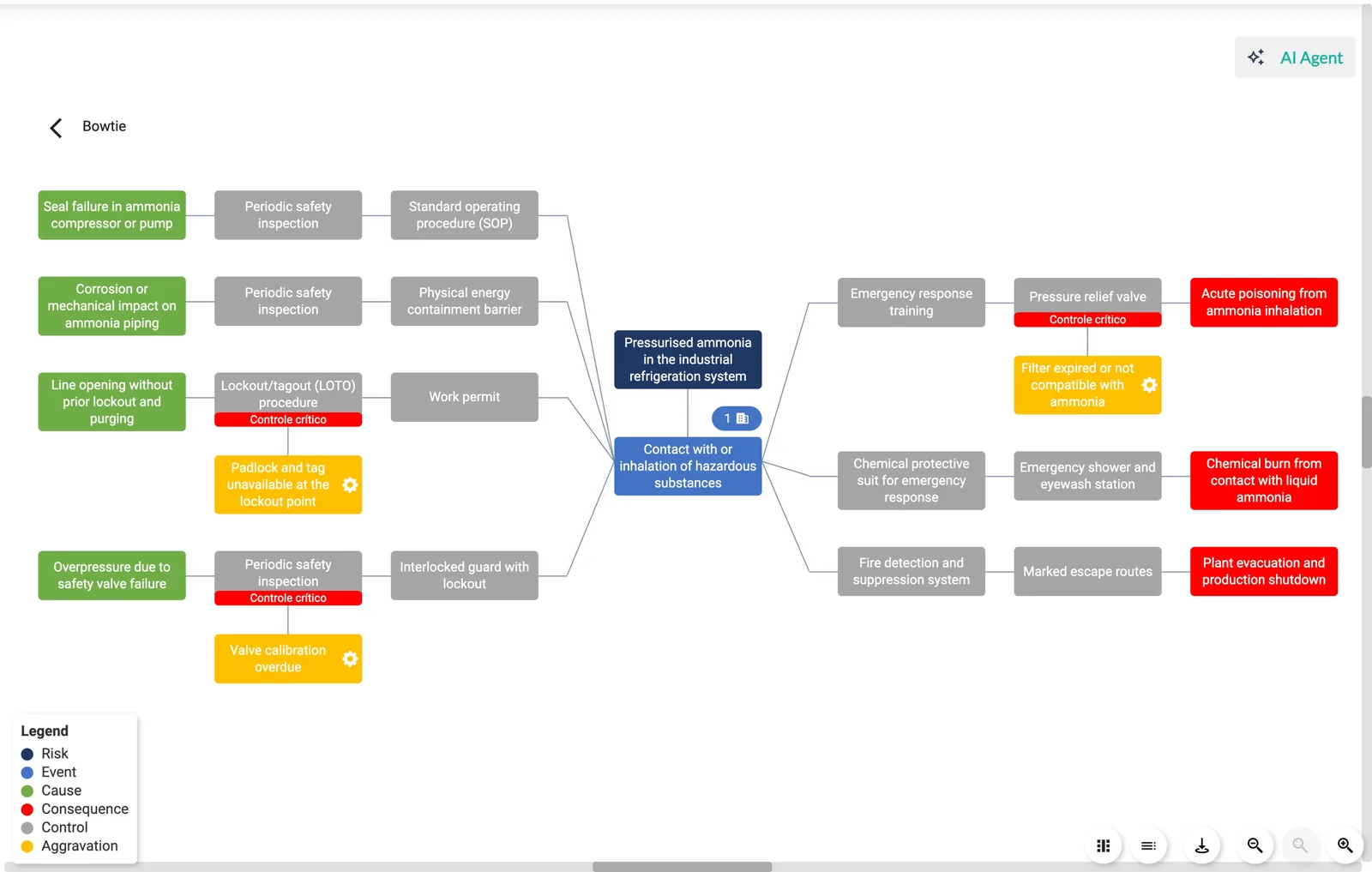
Model the unwanted event, its causes and consequences, the preventive and recovery barriers, the aggravations that weaken them — then verify critical controls on a schedule and track conformity.
- Visual Bowtie editor with legend, zoom, presentation mode and printing
- Critical controls flagged on the diagram; verification tasks daily, weekly, monthly or yearly
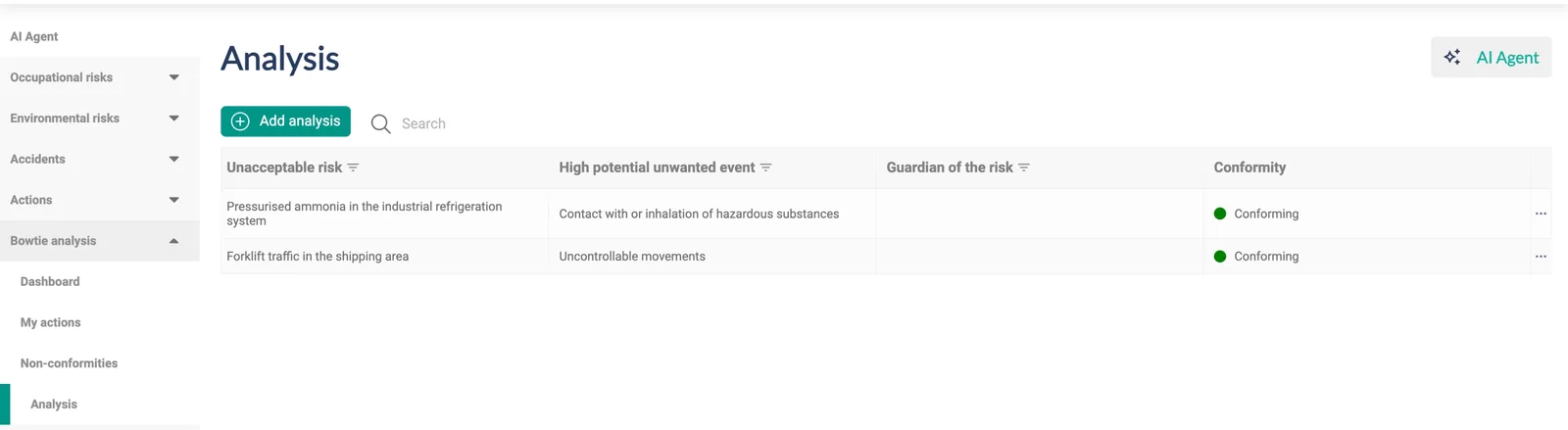
- Guardian of the risk, conformity status, non-conformities with immediate action
- Auto-generate a Bowtie from a critical risk's hazards, injuries and controls
From a missing control to a closed, approved action
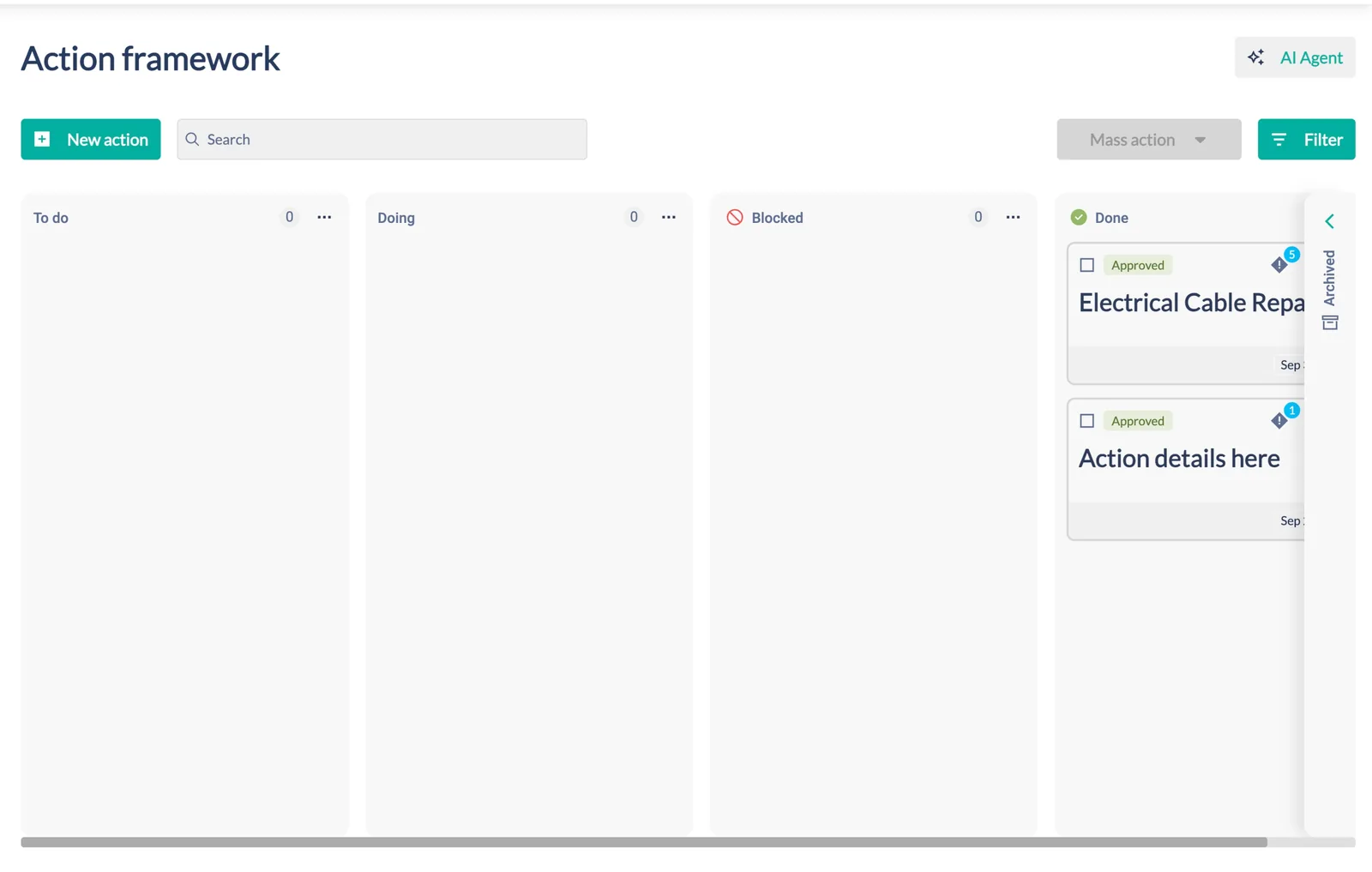
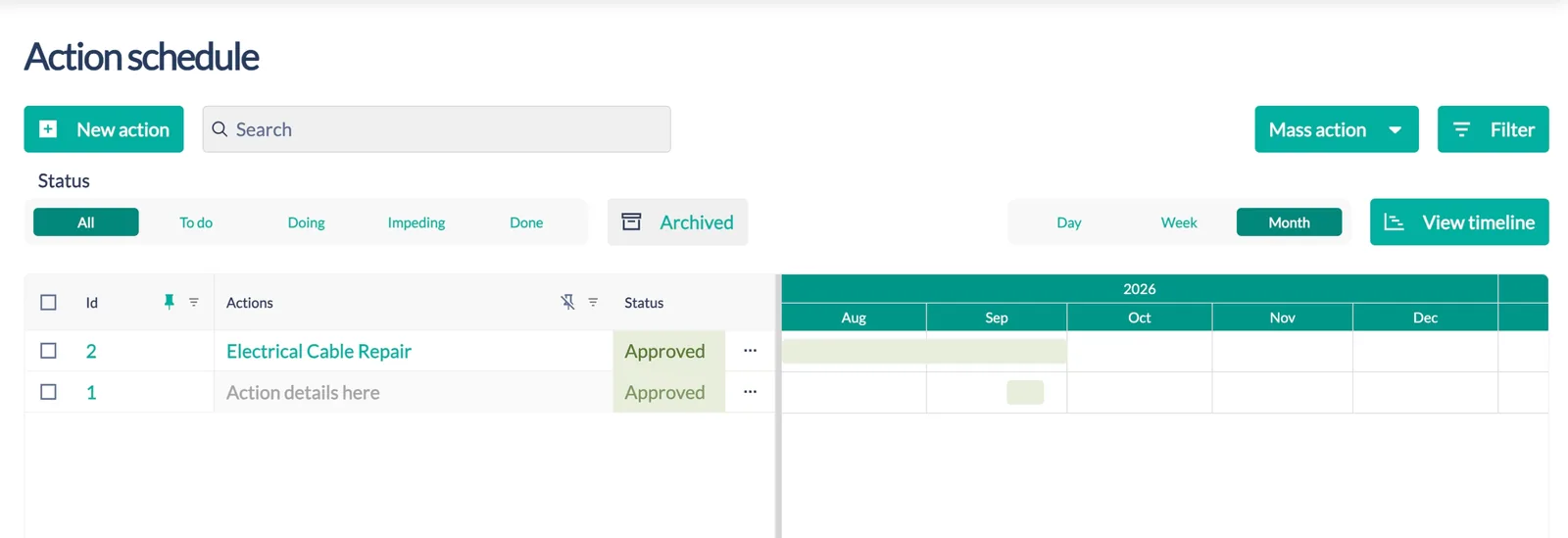
Actions carry owner, executors, planner, dates, cost, what/how/why, checklists, evidence and the risks they treat. Closing and approving an action re-rates the linked risks in one operation.
- Board (To do · Doing · Blocked · Done) and Timeline/Gantt by day, week or month
- Status flow with archive, mass actions, filters, pinning and export
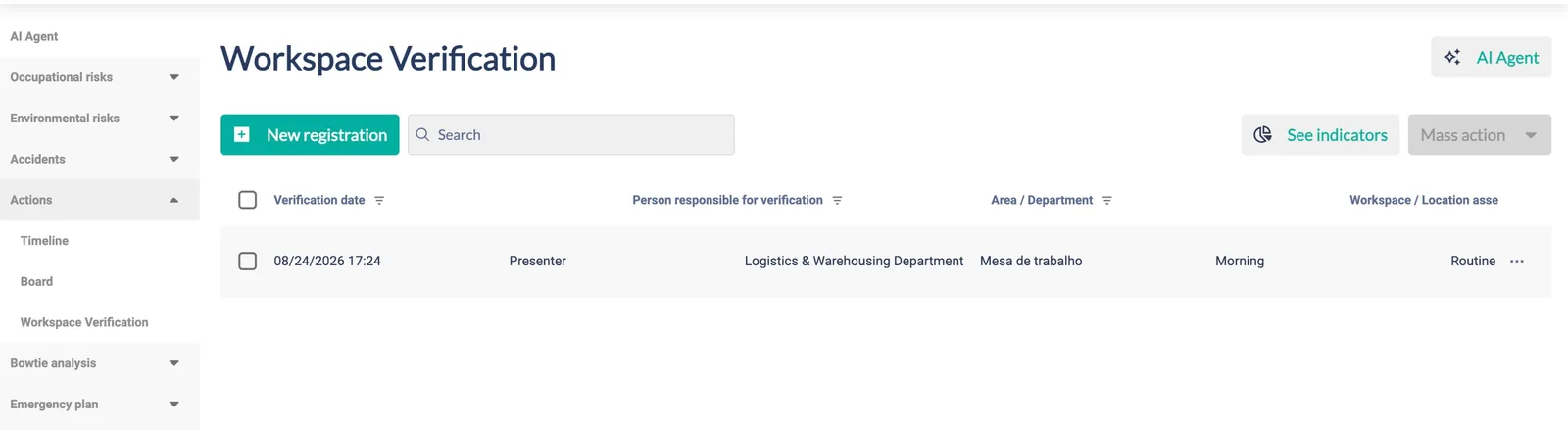
- Workspace verification — recurring checks per area, shift and location, with indicators
Energy isolation and safety maps, generated from the inventory
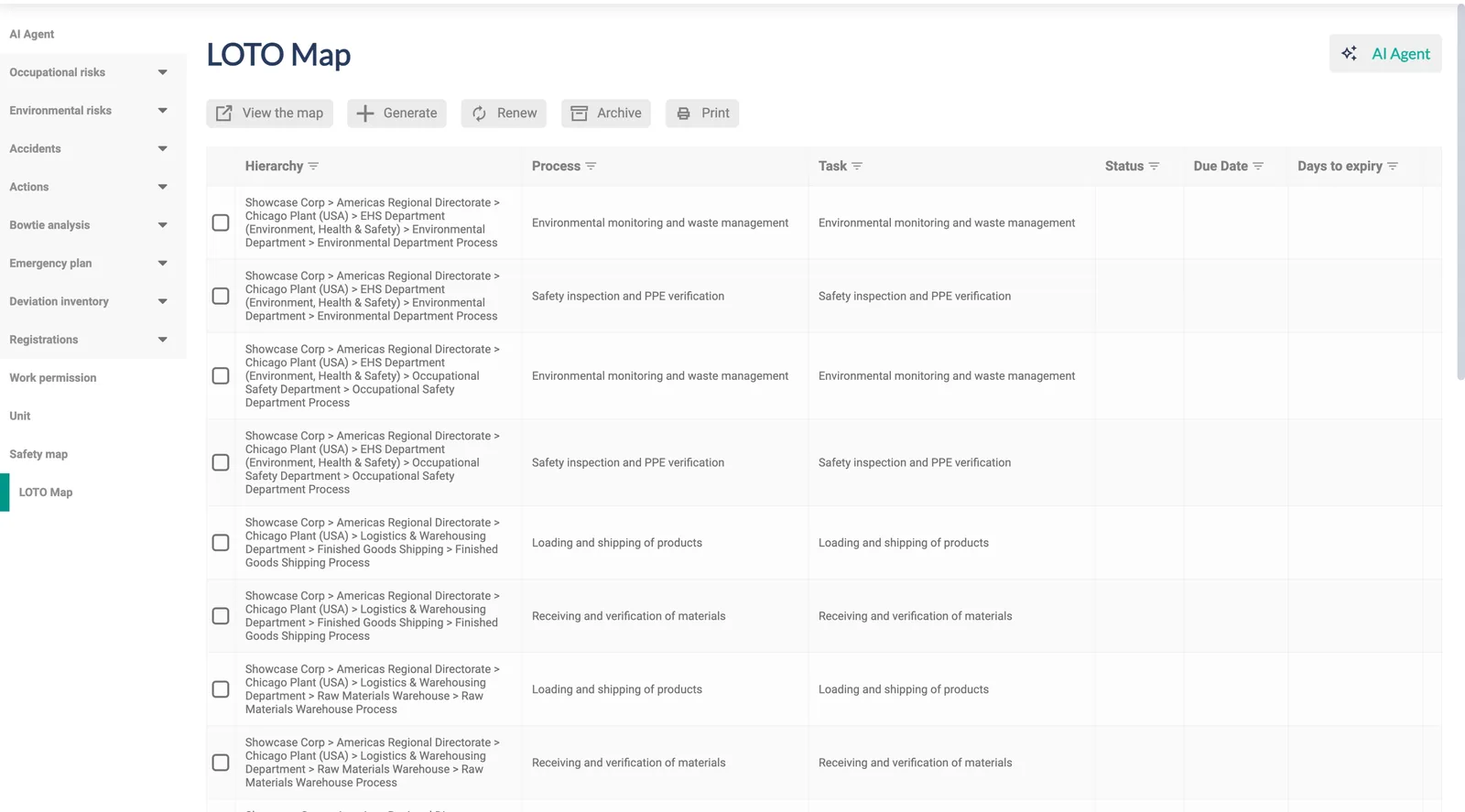
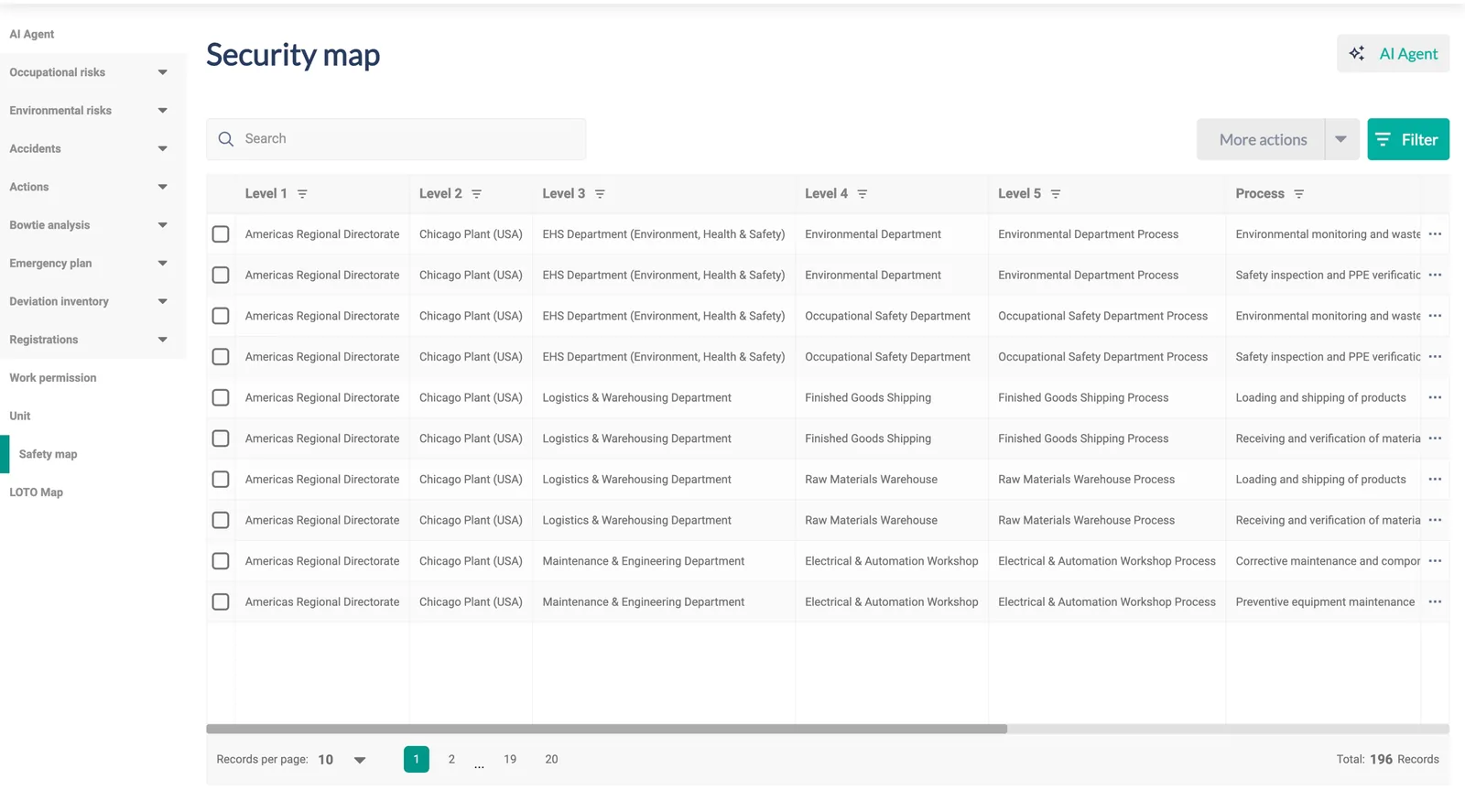
LOTO maps per machine list energy sources, isolation points, methods and lock-outs. Safety maps snapshot the risks of an activity so they can be printed and posted at the line — and must be renewed whenever a risk changes.
- Generate, renew, archive and print; status, due date and days to expiry per map
- Maps past due surface on the occupational dashboard
- Risk templates and linking tags to standardize and distribute across units
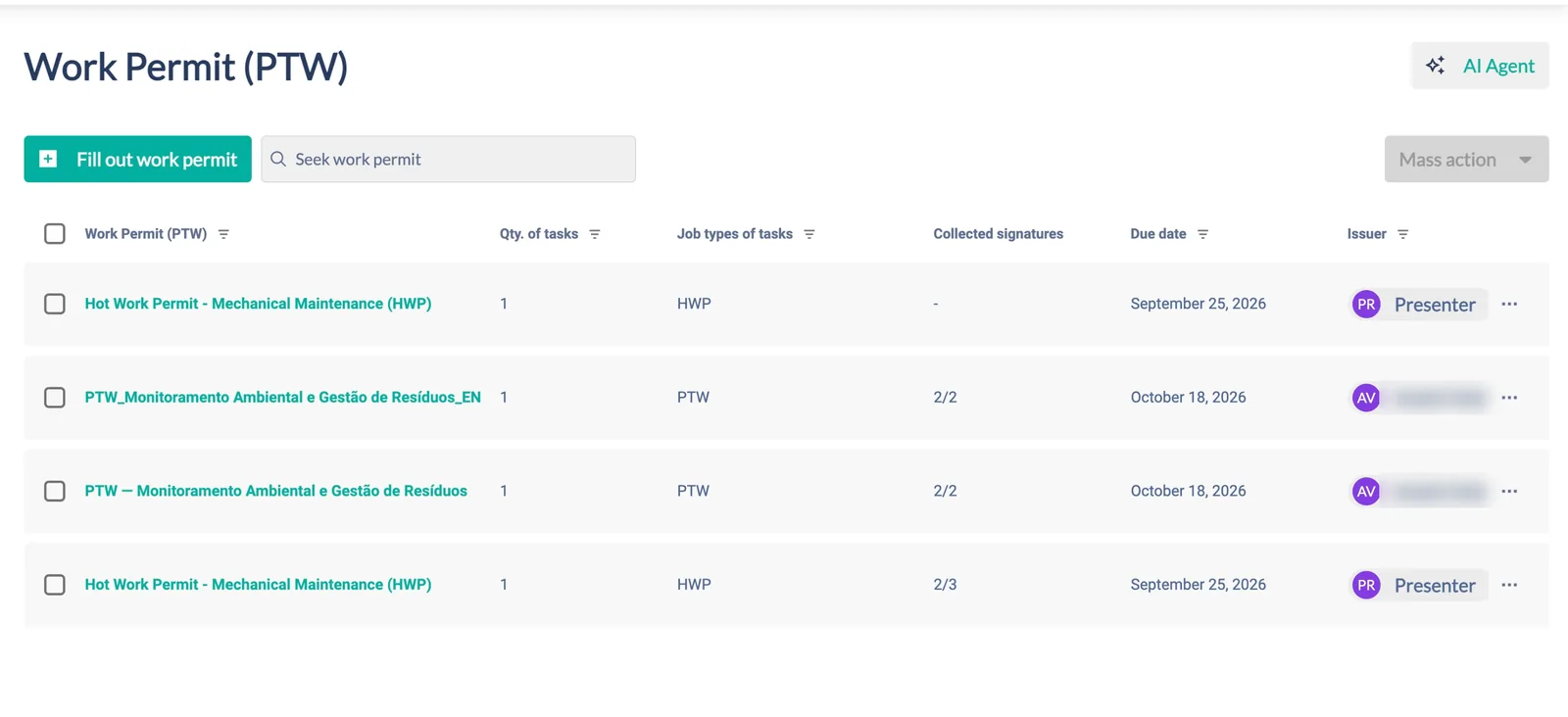
Permits with checklists, PPE and collected signatures
Five permit types (PTW, PET, AT, LTA, PTQ) configured per site, each with activity checklists, potential risks, mandatory PPE, equipment and special-permit documents. Signatures are collected digitally and tracked against the due date.
- Hot work, confined space and other job types with their own approvers
- Collected signatures (e.g. 2/3) visible on the list
- Pre-task analysis (APR) templates for the field
Report fast in the field, investigate with structure, prepare for the worst
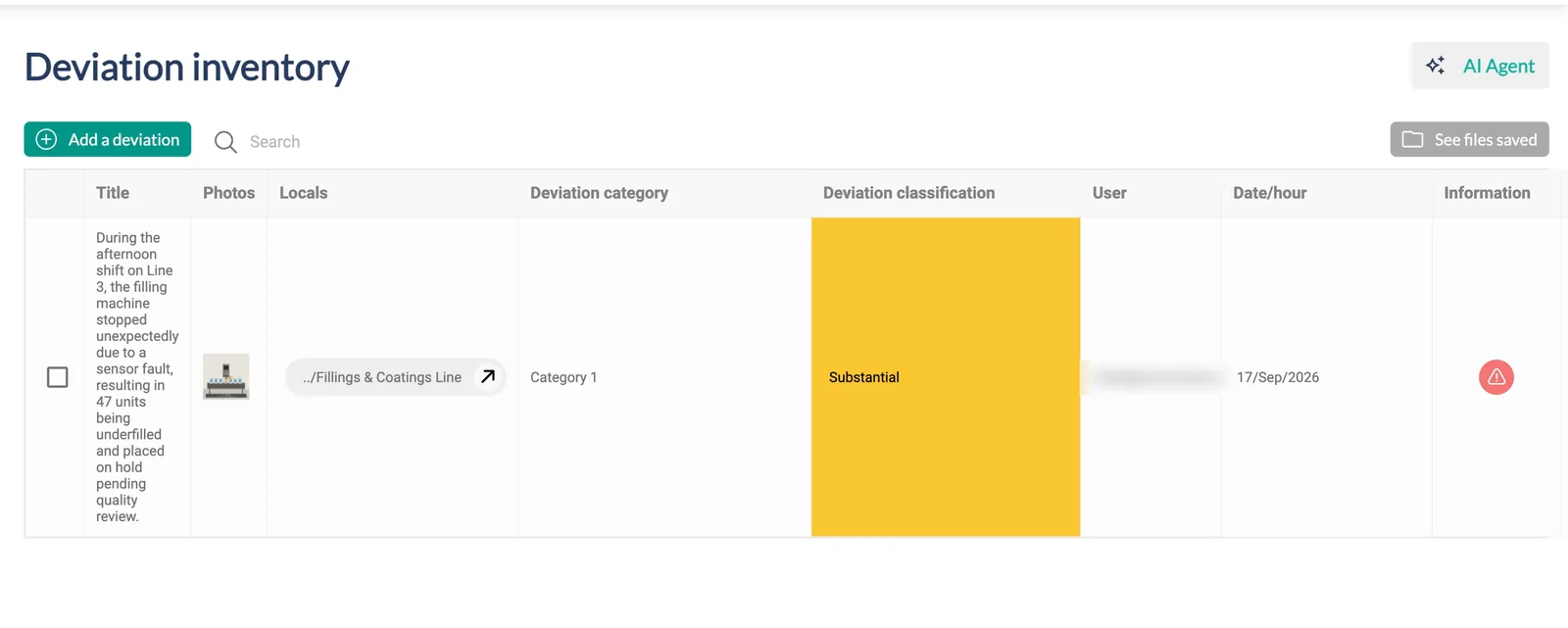
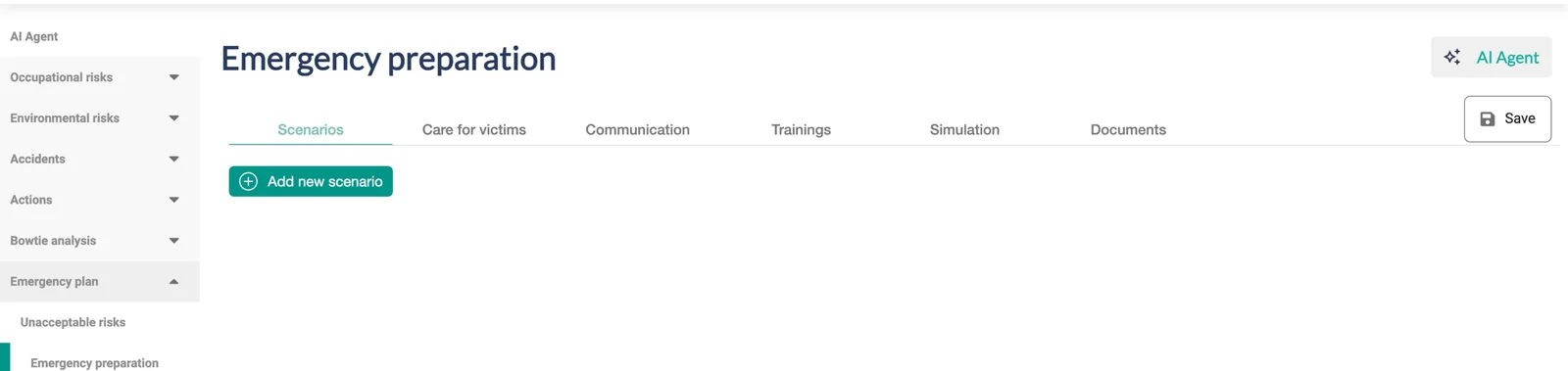
Deviations are recorded with photos, location and matrix classification, then analysed with causes and a treatment plan. Incidents get an investigation in eight tabs — occurrence, team, analyses, causes, known risks, lessons learned and communication. Emergency preparation covers scenarios, care for victims, communication, trainings, drills and documents.
- Deviation inventory with category, classification, user and evidence files
- Incident investigation with analysis diagrams, cause types and accident communication
- Unacceptable-risk scenarios linked to the emergency plan
Build your own inspections. Import what you already have.
The form builder has 15 field types, conditional automations (show, require, lock), AI instructions per field, publication to the menu or as an external link that needs no login, plus records, indicators and report designer. Document intake sends legacy programs, hygiene reports and spreadsheets through an AI extraction queue and a step-by-step review wizard before anything enters the inventory.
Existing risk programs, hygiene reports, assessments and spreadsheets — any format your history lives in.
Harmful agents, job roles, hazards and measurements are identified and structured automatically.
A review wizard confirms every item before it enters the risk inventory. Human review is built in by design.
- Connected fields: unit, risk, hazard, control, aspect, person, company
- Questionnaire grids, attachments, date/time, dropdowns, verification fields
- Generated DOCX/PDF documents, including the Brazilian risk program (PGR)
Units, people, profiles, notifications and a full audit log
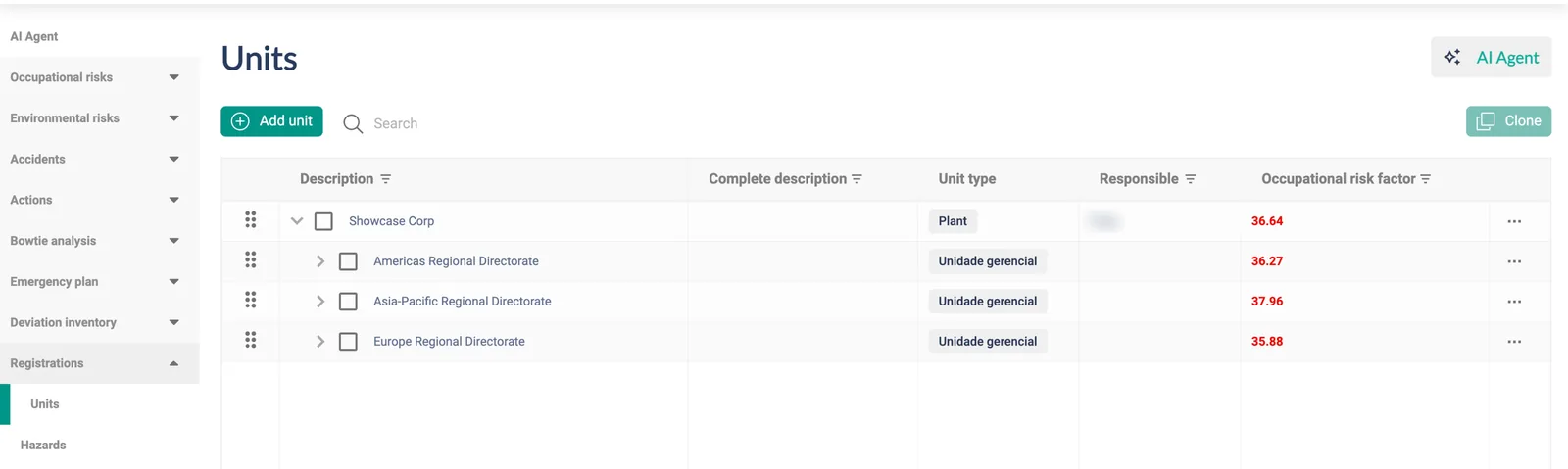
The unit hierarchy is the axis of everything — navigation, data scope and indicators. Users get a profile with ten permission levels per module, view/edit/delete per feature and a unit scope. Notifications run on four channels; scheduled extractions and reports go out by e-mail; every change is logged.
- Master data: hazards, energies, controls, harmful agents, aspects, job roles, companies, people
- Per-site configuration of formulas, matrices, characterizations, evidence and approval rules
- Occupational risk factor per unit for regional benchmarking
Field teams work where the risk is
The RiskEX EHS app brings units, risks and forms to the phone, synced to the same inventory the office sees — so the assessment happens on the line, not from memory at a desk.
- Available for iOS and Android
- Configurable synchronization of risks per client
- External forms by link for contractors and visitors — no login required
See RiskEx working on your data
A 30-minute live demonstration with real workflows — no slides. Bring one of your own risk scenarios and watch the platform (and the agent) handle it.
Book a demoor write to contact@riskex.ai · +55 (11) 2817-0735